
Introduction
When generating images with Stable Diffusion, one of the most surprisingly time-consuming steps is prompt entry. “What was that tag for that pose?” “How do you say this hair movement in English?” These small friction points add up quickly, and it’s not uncommon to spend over 30 minutes producing a single image.
In my own workflow, a single image used to take over 30 minutes. When caught in the loop of “image generation gacha”—repeatedly re-rolling outputs hoping for a better result—sessions could easily exceed 60 minutes.
To address this, I built a web-based prompt management system called “SD Tag Library” that organizes prompts by category. This article covers how it works and what changed after adopting it.
The Problem: Too Many Tags to Remember
Stable Diffusion prompts are written in English. Poses, gaze directions, camera angles, hair movement, hand positions—the categories alone are extensive, and each one contains dozens of tags.
My previous workflow looked something like this: search a prompt reference site, dig through old notes or files for previously used tags, and double-check English spelling. This overhead occurred for every single image, dragging down production speed significantly.
The Solution: Building a Prompt Management System
I built a dedicated prompt management web application for personal use. Since I already had a rental server and domain under contract, I leveraged those for hosting.
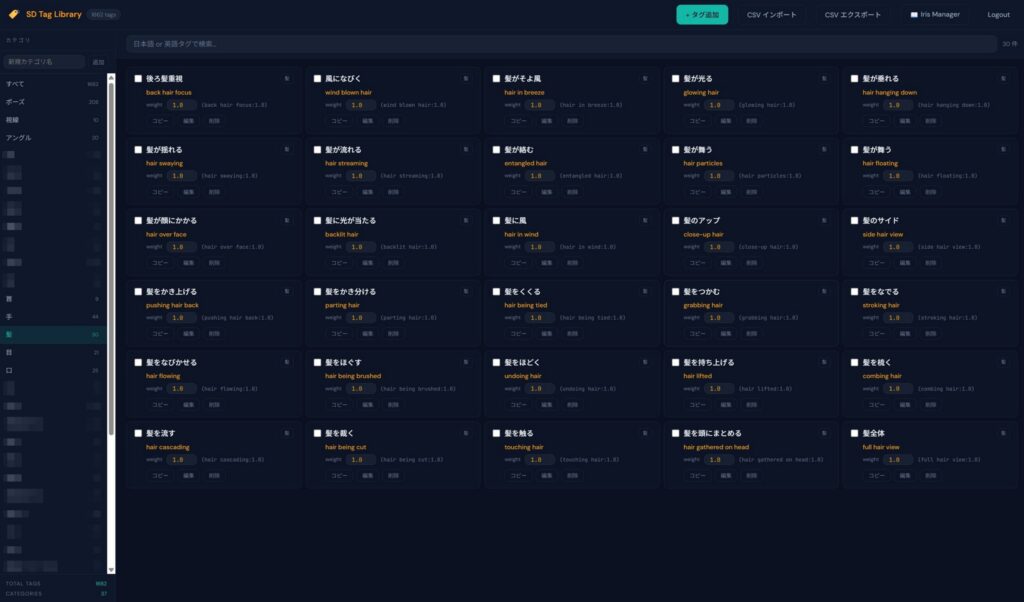
Key Features
Category management: Tags are organized across 37 categories—poses, gaze, angles, hair, hands, eyes, and more. The system currently holds 1,662 registered tags.
Bilingual search (Japanese/English): Each tag is registered with both a Japanese label and an English tag. Searching for “髪が揺れる” or “hair swaying” leads to the same entry. This is especially useful for users who think in Japanese but need English-language prompts.
One-click copy: Clicking a tag’s copy button places it on the clipboard in weighted format, such as (hair swaying:1.0). It can be pasted directly into the prompt field with no editing required.
Weight presets: Each tag can have a default weight value. By pre-configuring appropriate intensities, trial and error during generation is reduced.
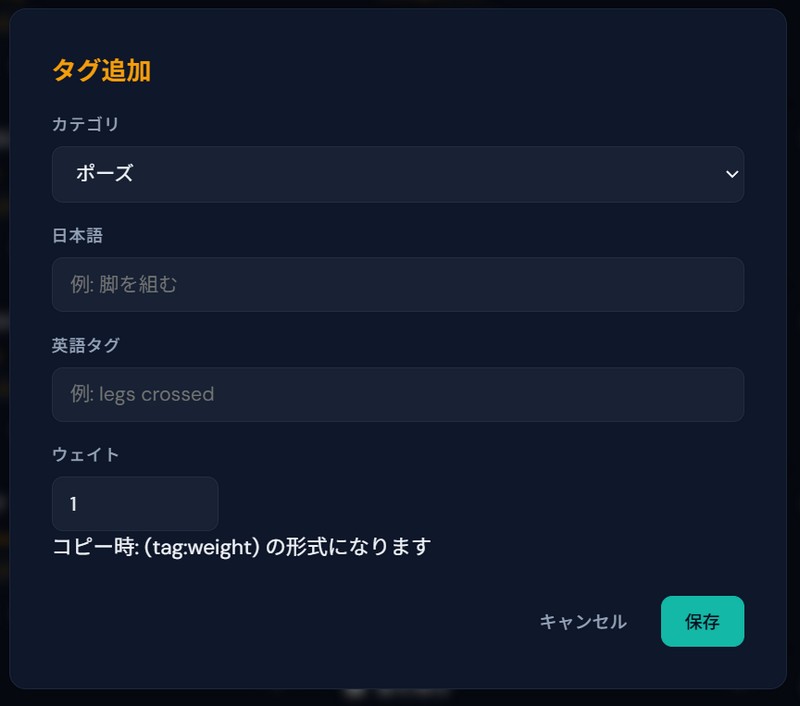
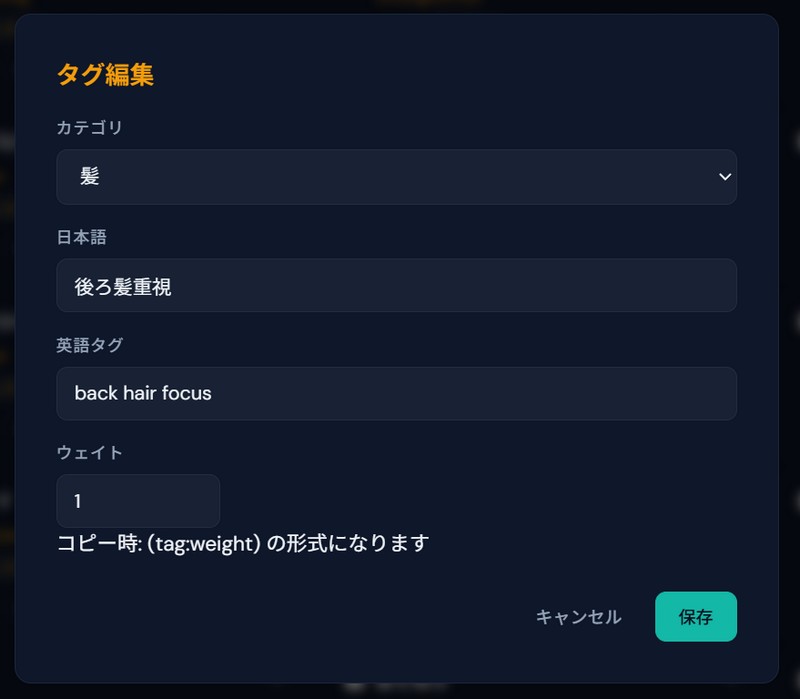
Full CRUD with CSV support: Tags can be added, edited, and deleted individually. Bulk import and export via CSV files is also supported, making large-scale maintenance straightforward.
Results After Adoption
After deploying this system, the time spent on image generation changed dramatically.
When the generation process goes smoothly—without getting stuck in a re-roll loop—each image now takes roughly 10 minutes or less. Compared to the previous 30–60 minutes, the prompt entry portion of the workflow has been cut substantially.
The reason is straightforward: the steps of recalling tags, looking them up, and verifying spelling have been virtually eliminated.
Behind the Build: Developing with AI
This system was built with the help of AI. I am not a web application developer by trade, but by preparing a clear requirements specification, it was possible to build a functional system through iterative dialogue with AI.
The key mindset here is refusing to accept inconvenience as normal.
Everyone encounters small frustrations in their daily workflow. Rather than dismissing them as unavoidable, the shift in thinking—”Maybe AI can solve this”—is what makes the difference. Going forward, this ability to identify friction and leverage AI to resolve it may become one of the most valuable skills in creative work.
Summary
Here is what the prompt management system delivered: I no longer need to memorize tags, there is no more switching back and forth to reference sites, prompt entry time dropped from 30–60 minutes to roughly 10 minutes, and CSV-based tag management keeps maintenance simple.
You don’t need specialized technical skills. If you can articulate what you want the system to do, AI can help you build it. When something feels inconvenient, that might just be your next opportunity for improvement.