Introduction
Mixing multiple character LoRAs in Stable Diffusion is a highly effective technique for creating original character designs with unique traits drawn from different sources.
However, this approach comes with two common side effects:
- Ghost problem: Multiple figures appear faintly overlapping, as if the source characters are each trying to materialize simultaneously.
- Source character dominance: Instead of a proper mix, the output collapses into one of the source LoRA characters almost unchanged.
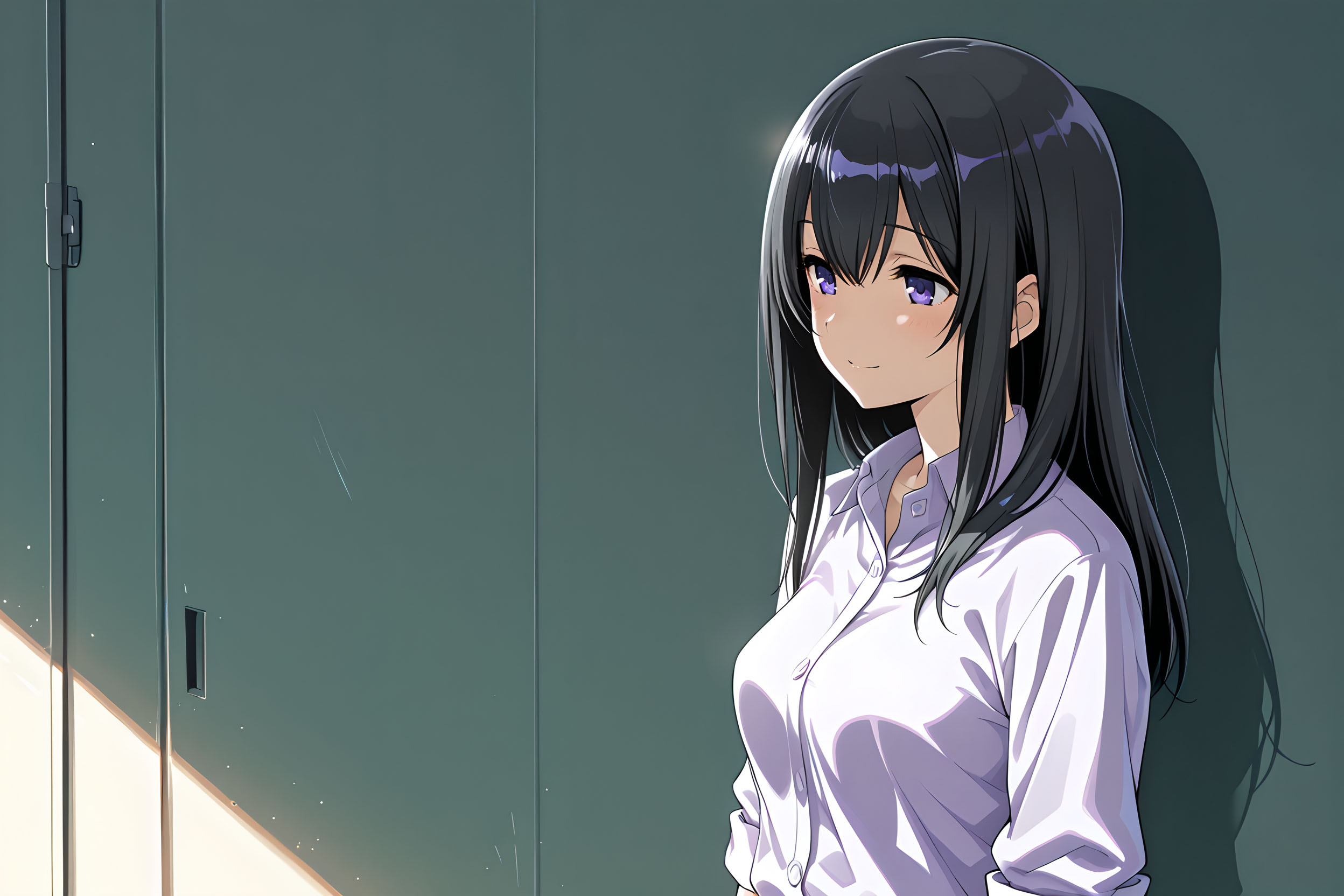
This article shares the settings that significantly reduced ghost occurrence rates, based on a real workflow mixing three custom-trained character LoRAs into an original character.
Test Environment
| Item | Details |
|---|---|
| Model | Pony-based model (SDXL derivative) |
| WebUI | AUTOMATIC1111 / Forge |
| LoRA count | 3 (all custom-trained) |
Why Ghosts Appear
There are two main causes for multi-person generation when mixing LoRAs:
① Total LoRA weight is too high
Each LoRA tries to render its source character, and the models compete. Custom-trained LoRAs have particularly strong binding to their training data, so pushing weights too high causes each one to assert its source character forcefully — a recipe for ghosts.
② Character names are listed in parallel within the prompt
The text encoder interprets “multiple character names = multi-person image.” This is especially problematic during the early generation steps (roughly the first 30–50% of total steps), when composition is being determined. If multiple character identities flow in simultaneously at this stage, the model is more likely to decide it should draw multiple figures.
Settings That Worked
Positive Prompt
1girl, solo,
mixture of [girl:Character_A:0.5], [girl:Character_B:0.5], and [girl:Character_C:0.5],

(platinum blonde:1.3), (bare head:1.3), natural hair, (long hair:1.2), (shoulder blade length hair:1.3), (straight hair:1.3), flowing hair, smooth hair, silky hair,

(indigo eyes:1.3), (blue violet eyes:1.2), (deep purple eyes:1.3), shiny eyes, detailed iris, eye shine,

large breasts, pale skin, voluptuous body, wide hips, thick thighs, narrow waist,

<lora:lora_character_A:0.25>, <lora:lora_character_B:0.2>, <lora:lora_character_C:0.2>,
Negative Prompt
multiple people,
2girls, multiple girls,
clone, duplicate, ghost, transparent,
multiple views, character sheet,
2boys, couple,
(boy:1.5), (man:1.5), male,
Detailed Breakdown of Each Setting
Point 1: Prompt Editing Syntax Direction — [from:to:step]
This is the most important point.
[girl:Character_A:0.5]
This syntax means “process as girl from step 0 to 50%, then apply the character name from 50% onward.”
During the early generation phase where composition is determined, every character slot is treated as a generic girl, so the model recognizes “there is only one person to draw.” In the later steps, character names take effect and work with the LoRAs to apply character-specific traits.
The reverse direction makes things worse.
[Character_A:girl:0.5] ← Reversed (do not use)
This feeds three character names simultaneously during the early steps, which actually increases ghost rates. In our testing, 3 out of 4 images in a batch produced ghosts with this direction. Make sure you don’t mix this up.
Point 2: Keep the Total LoRA Weight Low
<lora:lora_character_A:0.25>
<lora:lora_character_B:0.2>
<lora:lora_character_C:0.2>
The combined weight is 0.65.
For multi-LoRA mixing, a total in the 0.6–0.8 range provides the most stable results. Pushing individual weights above 0.4 easily sends the total past 1.0, at which point ghosts and source character dominance become prominent.
Setting the weight slightly higher for the LoRA whose traits you want most strongly, while keeping the others lower, is also effective. There’s no need for equal weights.
Point 3: Specify Appearance Details Explicitly in the Prompt
(platinum blonde:1.3), (bare head:1.3), natural hair,
(long hair:1.2), (shoulder blade length hair:1.3), (straight hair:1.3),
flowing hair, smooth hair, silky hair,
If you rely solely on character names and LoRAs, the model tries to reproduce the source character’s entire appearance. By specifying hair style, hair color, eye color, body type, and other traits individually as tags, you narrow the model’s output to the specific features you want.
Emphasis values (1.2–1.3) are also important here. Traits like hair color and eye color that are easily pulled toward the source LoRA character should be specified slightly stronger to signal “this is the correct answer.” However, going above 1.5 tends to cause visual artifacts, so staying within the 1.2–1.3 range is recommended.
Point 4: Explicit 1girl, solo at the Start
1girl, solo,
Simple but essential. Placing this at the very beginning of the prompt gives it the highest token priority, ensuring the constraint “there is exactly one person” propagates throughout the model’s generation process.
Point 5: Comprehensive Multi-Person Exclusion in Negatives
multiple people,
2girls, multiple girls,
clone, duplicate, ghost, transparent,
multiple views, character sheet,
Do not put character names in the negative prompt. This negates the character’s traits entirely and destroys the mix. Instead, comprehensively list tags related to “being multiple people.”
ghost, transparent directly suppresses the semi-transparent ghost-like rendering. multiple views, character sheet prevents multi-angle display compositions that can unintentionally resemble multiple figures.
Settings That Didn’t Work or Made Things Worse
Here are the failed approaches we tried before arriving at the settings above. Check these before repeating the same steps.
❌ Removing mixture of and Using Only LoRAs
Without the mixture directive, character traits don’t blend properly. The output either collapses entirely into one source LoRA’s character, or produces a featureless face that doesn’t resemble any of the sources.
❌ Putting Character Names in the Negative Prompt
The character’s traits themselves get negated, defeating the purpose of LoRA mixing entirely.
❌ Reversing the Prompt Editing Syntax Direction
Using [Character_A:girl:0.5] significantly worsens ghost rates, as described above.
❌ LoRA Step Range Specification
<lora:lora_character_A:0.25:0:0.6>
The syntax for step range varies by WebUI version and extensions. If it’s not working correctly, the output becomes unpredictable. We recommend starting with simple weight-only specification and adding complexity only after confirming the basics are stable.
Additional Tips for Further Stability
Sampler Selection
Samplers with “a” or “SDE” in their names (Euler a, DPM++ 2M SDE, etc.) introduce randomness at each step, causing output to vary even with a fixed seed. For multi-LoRA environments, deterministic samplers like Euler (without “a”) or DPM++ 2M Karras tend to be more stable.
CFG Scale
For Pony-based models, CFG 5–6 is the stable range. Going to 7 or above amplifies LoRA influence and makes ghosts and source character dominance more likely.
Systematic Optimization with XYZ Plot
Using the WebUI’s XYZ Plot feature to systematically test LoRA weight and CFG value combinations lets you efficiently identify the most stable settings for your specific environment.
Summary
Here are the key points for suppressing ghosts in multi-LoRA mixing:
| Setting | Details |
|---|---|
| Prompt editing syntax direction | Use [girl:CharacterName:0.5] (keep character names out of early steps) |
| Total LoRA weight | Keep within 0.6–0.8 |
| Appearance specification | Describe hair style, color, eye color, etc. in detail with emphasis values (1.2–1.3) |
| Leading prompt | Always place 1girl, solo first |
| Negative prompt | Include multi-person related tags; never include character names |
These settings may not produce identical results in every environment, but we hope they serve as a useful starting point for anyone dealing with the same problem.